Deep dive into the tools that keep your data safe.
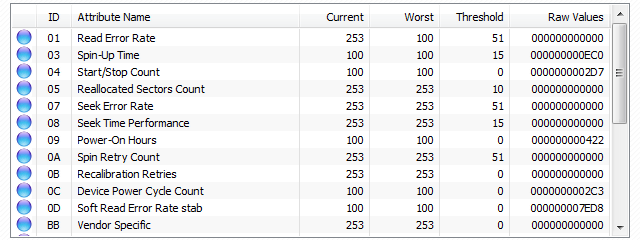
Access detailed raw and normalized values for all Self-Monitoring, Analysis, and Reporting Technology attributes to assess drive integrity.
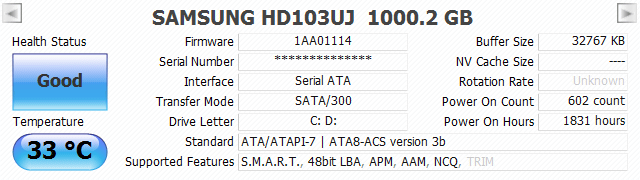
Get an immediate نظرة عامة of essential details like firmware version, serial number, interface speed, transfer mode, and drive letters.
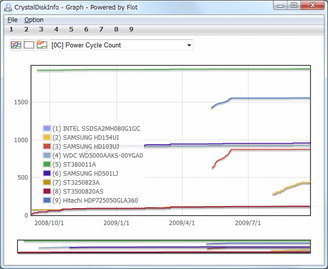
Track historical trends for critical health attributes (like temperature or reallocated sectors) over time to spot developing issues.
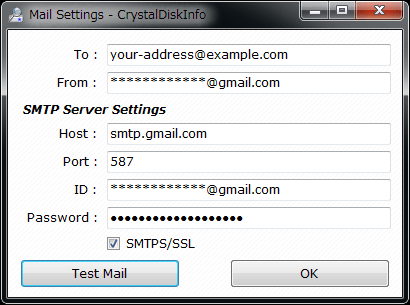
Configure automatic email alerts to be notified instantly if a drive's health status changes to Caution/Bad or exceeds temperature limits.
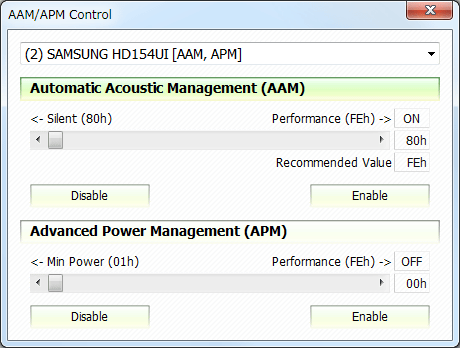
Directly adjust Automatic Acoustic Management (noise reduction) and Advanced Power Management settings on supported hard drives.
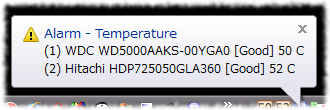
Keep the utility running in the background for continuous monitoring, featuring real-time system tray temperature display and audible warnings.
Fine-tune CrystalDiskInfo to match your specific hardware environment.
Automatically re-applies your custom Acoustic Management and Power Management settings every time the system boots or a new drive is detected.
Switch the temperature display between Celsius (°C) and Fahrenheit (°F) based on your preference.
Configure a specific delay at Windows startup to ensure all drives are fully spun up and recognized before the utility loads.
Toggle the display of S.M.A.R.T. raw data between Hexadecimal (16 [HEX]) and Decimal (10 [DEC]) for easier readability.
Choose how the app behaves when minimized—either "Hide" (system tray only) or "Minimize" (taskbar). Recommendation: Use "Minimize" for Windows 7 and later.
Organize your drive list by Physical Drive ID or Logical Drive Letter.
Adjust the interface to support displaying either 8 or up to 16 drives simultaneously.
Scans ScsiPort (0-15) and ScsiTargetID (0-7) to attempt detection of older disks that may not normally report S.M.A.R.T. data.
An alternative communication protocol that improves compatibility with legacy hardware (like old ATI chipsets), though it may conflict with some Intel drivers.
Manually select the command type for external drives if your USB enclosure isn't responding automatically.
Enables reading S.M.A.R.T. data from USB flash drives that support SCSI ATA Translation (SAT).
Supports Intel and AMD RAID arrays using the Common Storage Management Interface. Requires the latest RAID drivers.
Specific toggles to enable or disable detection for MegaRAID controllers and Intel Virtual RAID on CPU configurations.
Writes real-time disk status to the Windows Registry, allowing third-party desktop gadgets or rainmeter skins to display the data.
A privacy mode that hides specific attribute values from the main view.
تحكم متقدم للمسؤولين والمستخدمين المحترفين.
أتمتة تصدير بيانات S.M.A.R.T. إلى ملف نصي للمراقبة عن بعد أو التسجيل.